
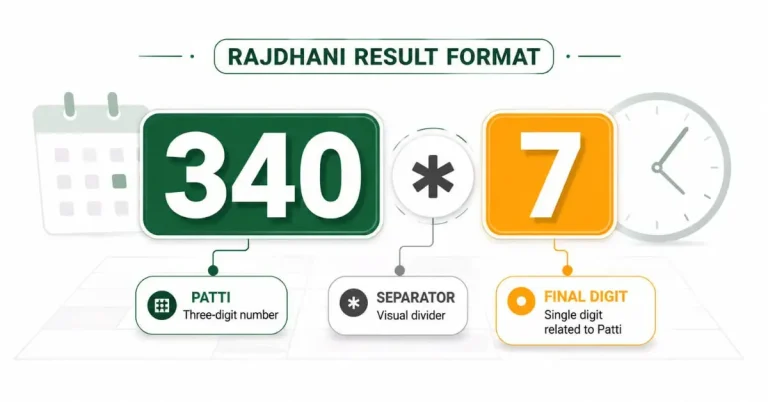
The Rajdhani Fatafat result format can look confusing when you first see an entry such as 340*7. It may look like multiplication, one long number, or two unrelated results.
In this format, the three digits on the left form the Patti. The symbol in the middle separates the values, while the single number on the right is the final digit connected with that Patti.
340 * 7
│ │ └─ Final digit
│ └──── Separator
└───────── Three-digit Patti
Once you understand those three parts, reading the rest of the table becomes much simpler.
What Does 340*7 Mean?
The entry 340*7 contains three separate elements:
| Part | Meaning |
| 340 | Three-digit Patti |
| * | Visual separator |
| 7 | Final single digit |
The asterisk does not mean that 340 should be multiplied by 7. It simply separates the three-digit Patti from the final digit.
The entry should not be read as the four-digit number 3407, either. It shows two connected result values presented together.
How the Final Digit Relates to the Patti
In the examples used in the Rajdhani table, the final digit matches the last digit of the total formed by adding the three Patti digits.
| Patti | Calculation | Total | Final Digit | Display |
| 340 | 3 + 4 + 0 | 7 | 7 | 340*7 |
| 579 | 5 + 7 + 9 | 21 | 1 | 579*1 |
| 345 | 3 + 4 + 5 | 12 | 2 | 345*2 |
| 123 | 1 + 2 + 3 | 6 | 6 | 123*6 |
| 190 | 1 + 9 + 0 | 10 | 0 | 190*0 |
When the total has two digits, the last digit is used.
For example:
5 + 7 + 9 = 21
Last digit of 21 = 1
Displayed entry = 579*1
This calculation explains the structure of an entry that has already been displayed. It does not determine the next Patti or predict a future result.
Why the Same Values May Appear in a Different Layout
A result table does not always need to place an asterisk between the values.
The same type of entry may appear as:
- 340*7
- 340 7
- Patti 340 and final digit 7 in separate columns
- 340 with 7 placed directly below it in a mobile table
The design may change, but the reader still needs to identify the same details:
- The three-digit Patti
- The connected final digit
- The result date
- The correct draw time or round
The separator affects how the entry looks. It does not change the values being shown.
Match the Entry With the Correct Date and Draw
A result entry belongs to a specific position in the table. Reading the number without checking its date and draw time can lead to a simple mix-up.
A table may look like this:
| Draw Time | Result |
| 9:30 AM | 340*7 |
| 11:00 AM | 579*1 |
| 12:30 PM | 345*2 |
In this example, 340*7 belongs to the 9:30 AM draw. It should not be treated as the result for 11:00 AM or 12:30 PM.
Use this order when reading an entry:
- Confirm the date.
- Find the required draw time.
- Read the three-digit Patti.
- Read the final digit beside it.
To see how the entries appear inside a complete schedule, use the Rajdhani Fatafat results by date and draw time.
Some tables may use a round label such as Baji instead of showing only a clock time. In that case, the Baji identifies the round. It is not another name for the Patti.
How to Read a Pending or Missing Entry
A listed draw may not have a complete result yet.
Depending on the table layout, an unavailable entry may appear as:
- a blank cell;
- a dash;
- “Pending”;
- “Not Published.”
These labels indicate that the table has not displayed a complete result for that position.
A missing entry should not be treated as zero.
Zero can be a valid final digit. For example, the digits in 190 total 10, so the displayed result may appear as 190*0.
The difference is simple:
| Display | Meaning |
| 190*0 | Complete entry with zero as the final digit |
| Blank or Pending | No complete result displayed yet |
That distinction matters because zero is a real number, while an empty position contains no confirmed value.
Common Mistakes When Reading the Format
Matching a result with the wrong draw
Several entries may appear on the same date. Always check the time or round heading before reading the number.
Looking only at the final digit
The final digit belongs with a particular Patti. Reading only the number on the right removes part of the result information.
Treating a missing entry as zero
A blank or pending position has no complete result yet. A valid zero appears inside a full entry such as 190*0.
Using the Patti calculation as a prediction method
Adding the three Patti digits only explains how the displayed final digit relates to an existing entry. It does not reveal the next result.
Frequently Asked Questions
Is the asterisk in 340*7 a multiplication sign?
No. It acts as a visual separator between the three-digit Patti and the final single digit.
Why does 579 have the final digit 1?
The three digits total 21. The last digit of 21 is 1, so the entry is displayed as 579*1.
Can the final digit be zero?
Yes. For example, the digits in 190 total 10, giving a final digit of zero. The complete entry appears as 190*0.
Is Patti the same as Baji?
No. Patti is the three-digit result value. Baji refers to the round or draw connected with the entry.
What does “Not Published” mean?
It means the table has not displayed a complete result for that listed draw. It should not be read as a confirmed number.
Does adding the Patti digits predict the next result?
No. The calculation only explains the final digit attached to an already-displayed Patti.
Read the Entry in Context
A result such as 340*7 becomes clear when you read each part in the correct order.
Start with the three-digit Patti. Read the final digit beside it. Then confirm the date and draw label connected with the entry.
The table layout may change, but the useful context remains the same. The values only make sense when they are read together with the correct round.